free to use, free to leave
Switching apps? Your recipes come with you.
Save recipe links or pasted text, get one shopping list sorted by aisle, and open it on Instacart. Start free on the web today.
Your recipes export as a file whenever you want.
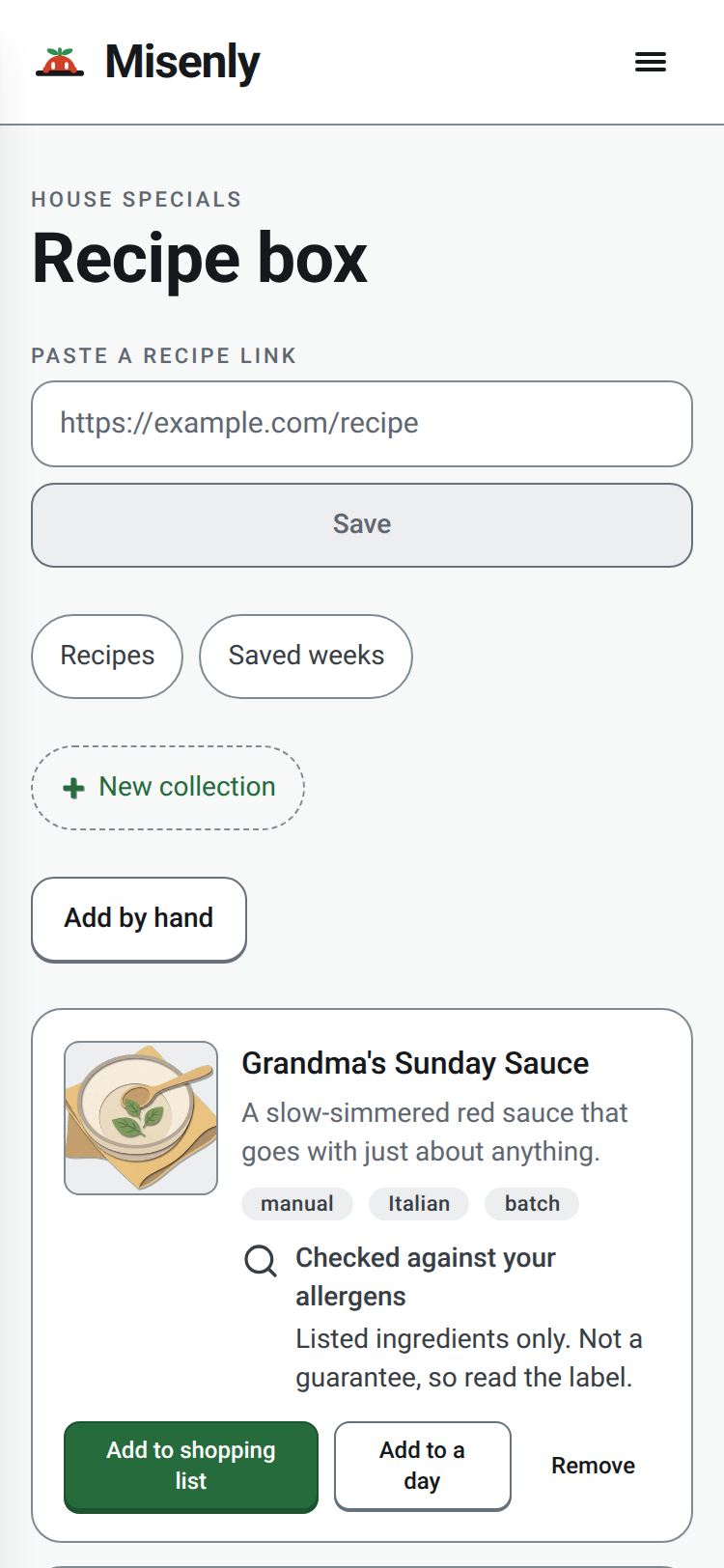
Three ways to bring a recipe over.

Paste a link
Paste a recipe URL. Misenly saves its name, image and link, and loads the ingredients and steps from the page each time you open it.

Paste the recipe text
If a site blocks the import, copy the recipe from the page and paste it in. Misenly sorts it into ingredients.

Share from your phone
In the Misenly phone app, coming soon, share a recipe from Safari or Chrome into your Recipe box. Until then, open Misenly in your phone's browser and paste the link.
Your recipes are yours.
Your recipes are yours. Export everything as a file at any time from Settings. If Misenly ever shuts down, we will give you as much notice as we reasonably can, and a chance to export everything before the end.
Then it works like this.
Save the recipe
Bring recipes over with a link or the recipe text. Sharing from your phone comes with the apps.
Get one list by aisle
Add saved recipes to one shopping list, sorted by aisle.
Shop on Instacart
Tap Shop on Instacart, then choose a store and check out.


Get notified when the iPhone and Android apps launch
One email when the iPhone and Android apps go live, and one if anything about the switch changes. Nothing else.
We store your address only to send those emails. See our Privacy Policy.